In the app: tap Upgrade → payment method → Redeem code.
Master English
vocabulary
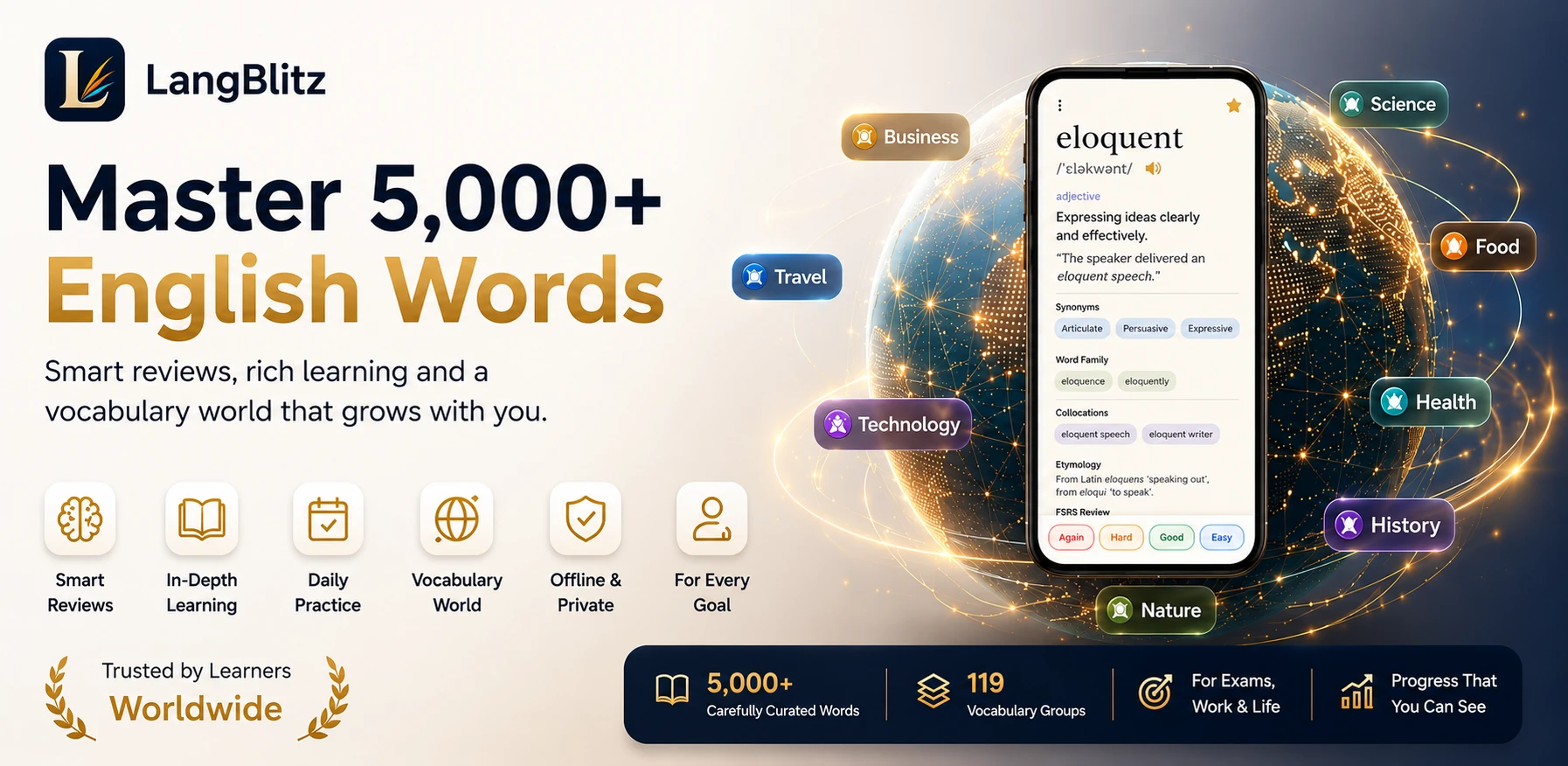
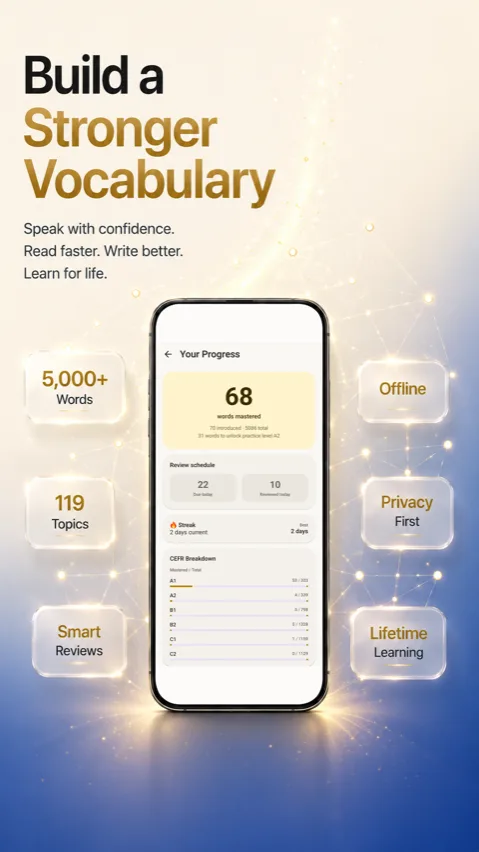
FSRS spaced repetition, 5,000+ curated words across 119 topic groups, and CEFR levels A1 to C2, built for IELTS, TOEFL, GRE, GMAT, SAT, Civil Services, and everyday fluency.
What's inside
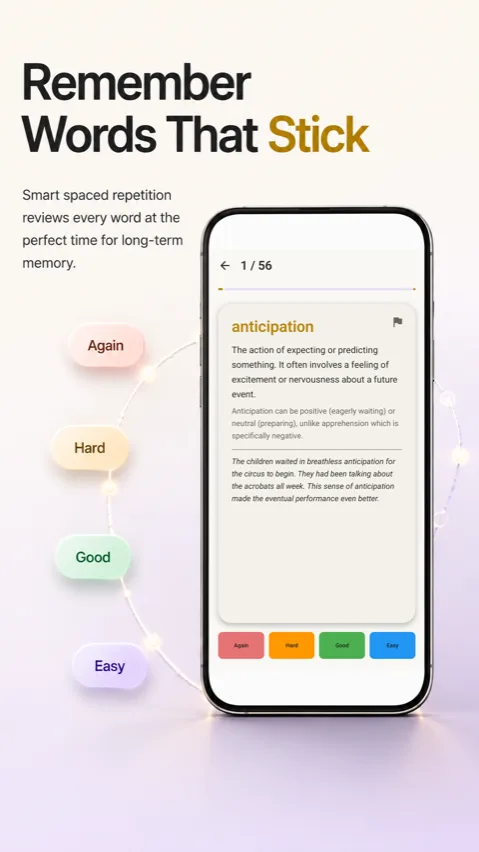
Built for long-term retention, not cramming
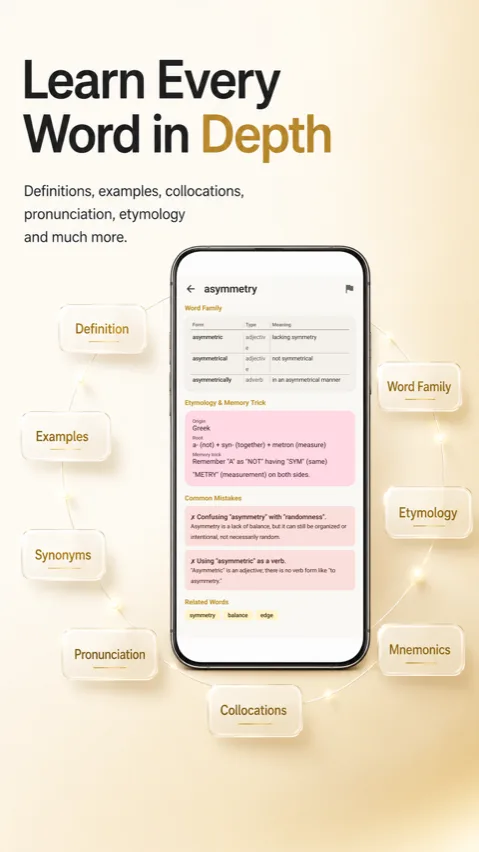
Every word card is designed to teach real usage, not just a definition to memorize.
Coverage
Built for the exams that matter
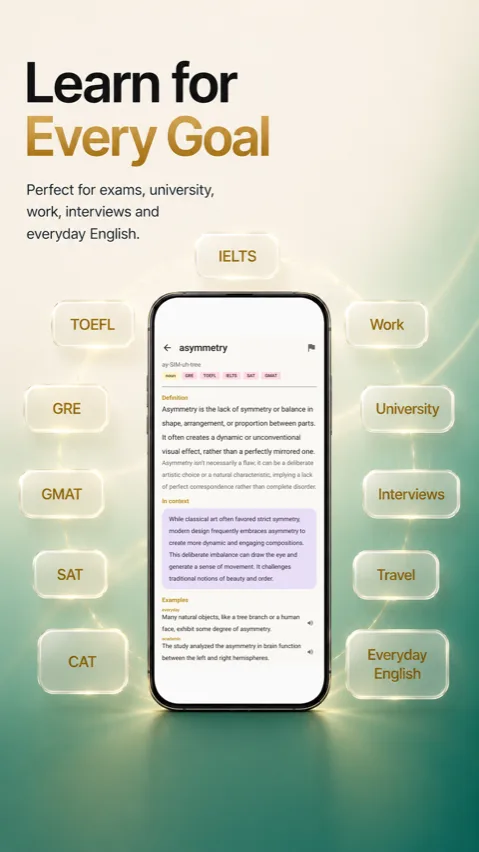
Relevance tags on word cards help you focus on vocabulary that actually appears in your exam.
App screenshots
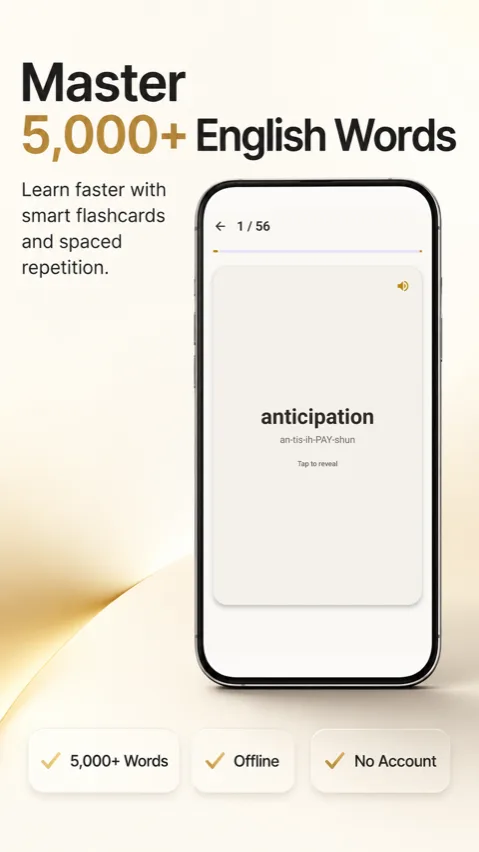
See it in action
Pricing
Free to start. Upgrade when ready.
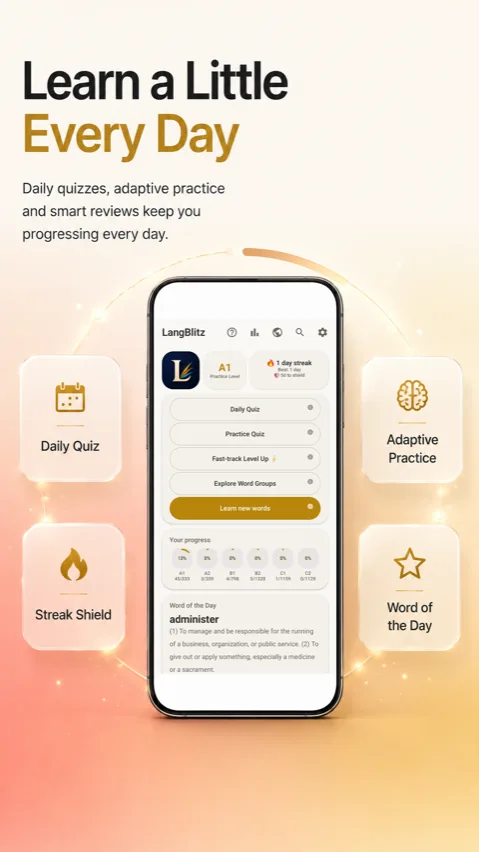
15 free word cards and the Word of the Day widget, then unlock the full library with Premium.
FAQ
Common questions
How is LangBlitz different from other vocabulary apps?
Most vocabulary apps rely on plain flashcard memorization: you see a word, flip it, mark it right or wrong, and move on. LangBlitz uses the FSRS spaced repetition algorithm instead, which schedules each review based on how well you actually remembered the word last time, not a fixed daily quota, so time goes toward the words you are genuinely struggling with rather than ones you already know cold. Every card also goes far beyond a bare definition: you get the nuance that separates a word from its near synonyms, notes on when not to use it, real example sentences, common collocations, the word's etymology and origin story, a memory hook or mnemonic, and a list of common learner mistakes tied to that specific word. That combination, adaptive scheduling plus genuinely rich content per card, is what most competing vocabulary apps split across two separate products: a flashcard app for repetition, and a dictionary for context. LangBlitz keeps both in one place.
What's included in the free version?
Free users get full, permanent access to fifteen word cards, chosen to span a range of topics and difficulty levels so you get a genuine feel for how LangBlitz works, complete with every feature those cards include: definitions, nuance, examples, etymology, and full quiz access. On top of that, the Word of the Day widget is free permanently, adding one new featured word to your home screen every day, and Daily Quiz is available to every user once per day regardless of tier. You can also browse the full catalog of all 119 topic groups to see what is available across the entire library, even though only the fifteen free words are study ready without upgrading. Premium unlocks the complete library of more than 5,000 curated words with no per card limit, unlimited Practice Quiz sessions, full access to every word inside Vocabulary World rather than just your fifteen free words, the Fast-track Level Up test, and export and import backup to move your progress to a new device.
Is LangBlitz useful for exam prep like IELTS, TOEFL, or GRE?
Yes. Many word cards carry relevance tags for IELTS, TOEFL, GRE, GMAT, SAT, and Civil Services exams, based on how often that specific word tends to appear in each exam's reading, writing, and vocabulary sections. That lets you prioritize study time toward the words most likely to matter for the specific test you are taking, rather than working through the entire 5,000 plus word library in no particular order. The CEFR level tagged on every card, from A1 through C2, also lines up with the difficulty most exam boards expect at each stage, so advanced exam vocabulary and everyday conversational words are never mixed together without warning. Because the underlying word set also covers broader topics like relationships, technology, and business, studying for an exam still builds general fluency rather than a narrow list of test only words that get forgotten right after the exam.
Does LangBlitz need an internet connection?
No. LangBlitz works completely offline after the initial installation, with no account, sign up, or internet connection required to study, take quizzes, or review your Vocabulary World progress. This also means your review history and word definitions are available on a flight, during a commute with no signal, or anywhere else connectivity is unreliable. An internet connection is only needed for the one time app download and update process through the Play Store, and optionally for Premium subscribers who choose to back up their progress so it can be restored later on the same or a new device. Nothing about your daily study routine depends on being connected.
What is Vocabulary World?
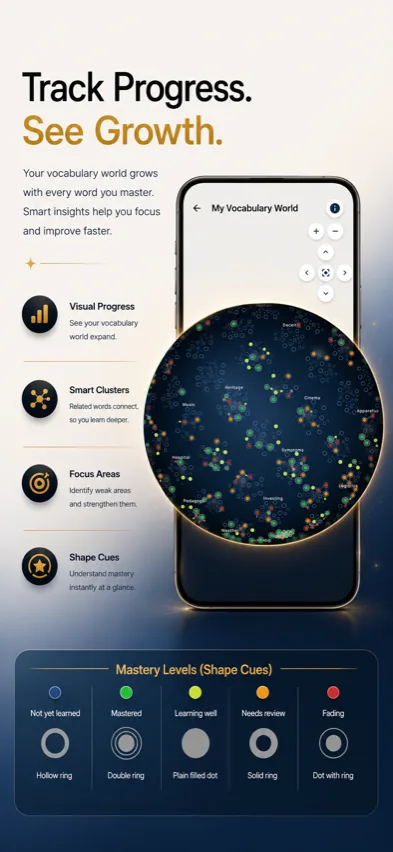
Vocabulary World is LangBlitz's visual progress map: a 3D globe where every topic group you have studied lights up based on how well you have mastered it. Instead of a plain progress bar or percentage, you can rotate the globe and see your vocabulary knowledge spread out by topic region, from Emotions to Business to Nature, with color intensity reflecting how many words in that group have moved from new to reviewed to mastered under the spaced repetition schedule. Free users can see their progress on the words they have unlocked, while Premium subscribers see the full globe light up across the entire 5,000 plus word library, which gives a genuinely different way to track growth than the stats screen most vocabulary apps show you.
Does LangBlitz have accessibility features?
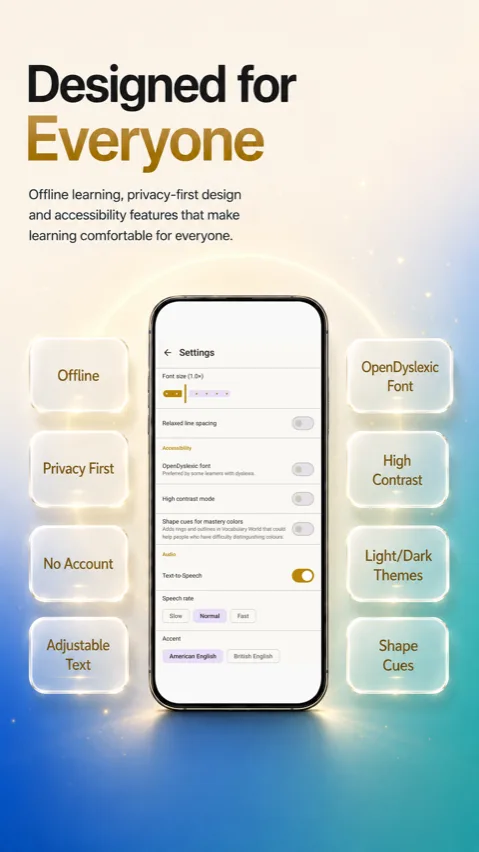
Yes. LangBlitz has a dedicated Accessibility section in Settings with several real options, not just a light and dark theme. There is an in-app font size slider from 0.8x up to 1.4x, which automatically steps aside for Android's own system font scale when that is turned up, so text never overflows or gets cut off. You can also turn on an OpenDyslexic font for learners with dyslexia, a high contrast mode, relaxed line spacing, and shape cues in Vocabulary World that add rings and outlines around mastery colors, so progress is never conveyed by color alone. A Text-to-Speech option reads words and example sentences aloud, with adjustable speech rate (slow, normal, fast) and a choice between American and British English accents. Every word card also shows a plain phonetic respelling next to the formal IPA guide, for example HER-uh-kayn alongside the IPA spelling for hurricane, and icon buttons such as share, report, and pronounce carry proper labels for screen readers like TalkBack.
How does the placement quiz and CEFR leveling work?
When you first open LangBlitz, a short placement quiz shows fifteen beginner range words one at a time, and you simply mark whether each one is new to you or something you already know. Based on how many you recognize, the quiz places you at either A1 (beginner) or A2 (elementary), the only two starting points it decides between, since fifteen yes or no answers are not a reliable enough signal to place someone anywhere across the full CEFR range. Your assigned level becomes your starting practice level, which determines what CEFR band new words are pulled from as you study. From there, your practice level can rise through automatic progression, once you have introduced and reviewed enough of the current level's words with strong retention, or through the Fast-track Level Up test if you want to skip ahead sooner, which is a Premium feature. Practice level and mastery are tracked separately: mastery reflects how well you currently remember words you have already learned, based on the FSRS spaced repetition algorithm, and can hold steady or fade independently of what level you are currently learning new words at.
Can I use LangBlitz on more than one device, and is my progress saved?
LangBlitz stores your review history and progress locally on your device by default, since the app is designed to work fully offline with no account required. Premium subscribers get access to export and import, a feature in Settings that saves your progress to a file and lets you bring it into the app on a new phone, so switching devices does not mean losing review history or restarting the spaced repetition schedule from scratch. This is a manual, one time transfer rather than automatic real time syncing between two phones used at once, so if you study on two devices without exporting and importing between them, each keeps its own separate history instead of merging automatically. This is separate from Restore Purchases, which only reactivates your Premium subscription status through your Google Play account and does not move any study data on its own.